
PulseMeet — Wherever You Are
Z&AtexitBeauty
4.48.00 Reviews
- Version
- 5.5.5
- Installs
- 1.00M
- Age Rating
- Everyone
Screenshots

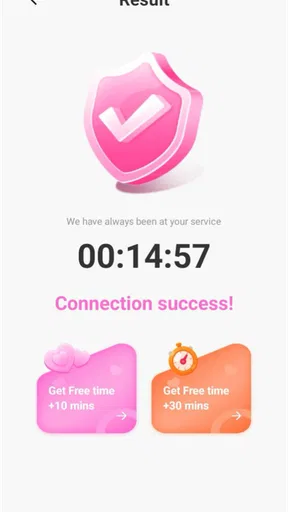
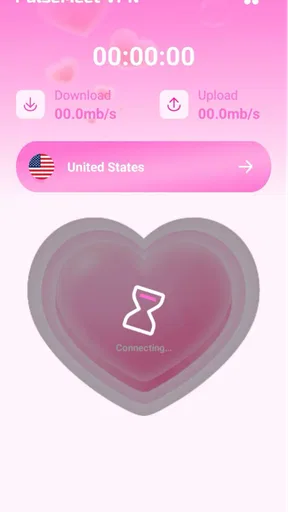
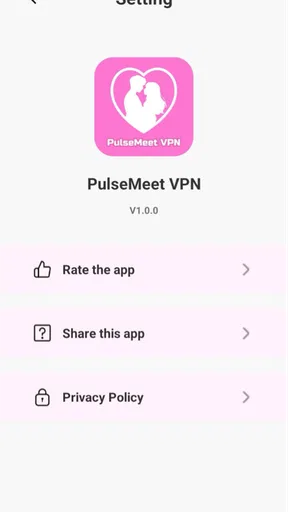

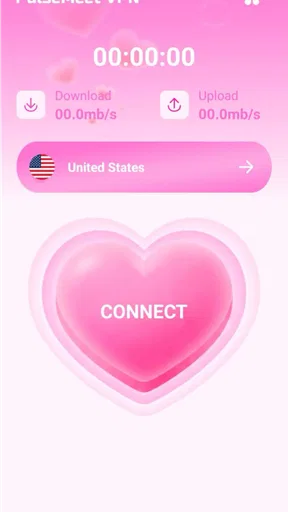

Our Review of PulseMeet — Wherever You Are
 Analysis by Appyee
I approached PulseMeet as a beauty app with an unusual promise: it is meant to help you open the app, connect, and get back to your day with less interruption. That sounds simple, but it changes how I judge it. I am not looking for a huge catalog of tools or a complicated creative workspace. I am looking for a calm, quick experience that earns a place in a daily routine.
After spending time with it, my impression is that PulseMeet is best understood as a lightweight companion for people who want a more focused way to stay connected around beauty-related activity. It feels more suitable for short visits than long sessions, and that is both its appeal and its main limitation. If you want an app that respects your time, it has a clear advantage. If you expect detailed tutorials, deep customization, or a complete replacement for specialist beauty services, you may find its scope too narrow.
How PulseMeet fits into a real beauty routine
The app comes from Z&Atexit and is available free of charge for everyone. It has attracted more than a million installs and holds a 4.7 average from roughly four hundred ratings, which suggests that the basic idea is connecting with a meaningful audience. I would not treat those figures as proof that it will suit every user, but they do indicate that the experience is easy enough for many people to try and keep using.
What stood out to me is the way PulseMeet seems designed around reducing friction rather than adding another demanding task. Many beauty apps ask you to browse, compare, save, edit, track, or shop. Those functions can be useful, but they also encourage long sessions and repeated decisions. PulseMeet takes a more restrained direction. Its value is strongest when you already know why you are opening it and want to complete that small interaction without getting pulled into unrelated activity.
A realistic example would be a person preparing for a busy morning. Instead of opening several social feeds to check beauty conversations, updates, or contacts, they can use PulseMeet as a brief check-in before leaving home. The benefit is not that it replaces every other beauty resource. The benefit is that it gives the user a defined moment to connect, then return to work, school, errands, or an appointment.
That approach also makes the app approachable for people who dislike crowded interfaces. I found the concept easier to understand than apps that combine inspiration boards, product stores, filters, booking tools, and social networking in one place. PulseMeet does not need to become the center of your beauty life to be useful. It can occupy a smaller, more practical role.
The current experience is built for short, intentional visits
My strongest recommendation is to use PulseMeet with a purpose. Open it when you want to connect or check what matters to you, rather than treating it as an endless browsing destination. This habit makes the app feel more coherent and helps its central idea work in practice. The less you expect it to do, the more clearly its focused design comes through.
There is a subtle trade-off here. A compact experience can feel refreshing, but it can also leave users wanting more context. Someone who enjoys exploring new looks, reading detailed product comparisons, or learning step-by-step techniques will probably still need another beauty app or a web search. PulseMeet is not the strongest choice for research-heavy sessions.
I also think it suits users who already have a reason to connect. If you are joining without contacts, a specific conversation, or a clear routine in mind, the app may feel less immediately rewarding. Its usefulness depends more on the quality and relevance of your interactions than on the sheer amount of content available.
What the version and release information tell us
The current version is 5.5.5, while the app was released on December 12, 2025. That combination gives PulseMeet the feel of a product that has already moved beyond its first rough experiment, even though it remains relatively focused in purpose. I see the version number as a sign that the developer has been refining the experience rather than leaving it at a basic first release.
It is important, however, to separate what is visible now from what I might hope to see later. A mature version number does not automatically mean the app has every advanced tool found in larger beauty platforms. In my use, the appeal still comes from simplicity and quick connection, not from a long list of specialist functions.
The minimum requirement of Android 7.0 is another practical strength. It means people using older Android phones are not immediately excluded by a demanding operating-system requirement. That matters for an app intended to be convenient: a quick connection tool loses some of its purpose if it requires a recent flagship device.
At the same time, users with very old hardware should keep their expectations realistic. Compatibility with an operating system does not guarantee identical speed or comfort on every phone. If your device struggles with modern apps generally, PulseMeet may still feel less responsive than it does on newer hardware. I would test it during a normal part of your day rather than judging it only from a brief launch.
How the latest state affects people already using it
For existing users, the biggest advantage of the current release is continuity. Someone who has already made PulseMeet part of a short daily check-in does not need to turn that habit into a larger project. The app remains most valuable when it stays easy to open, use, and leave. That consistency is more important here than dramatic visual change.
I would advise regular users to keep their routine deliberately small. Decide what you want to check before launching the app, complete that task, and close it. This is not just a productivity tip; it matches the app’s apparent design philosophy. It also prevents the common problem of a supposedly focused service becoming another source of screen time.
Another useful habit is separating connection from decision-making. Use PulseMeet to stay in touch or coordinate, but do not expect it to make every beauty choice for you. For example, if you are deciding between products for sensitive skin, a specialist source with ingredients, usage guidance, and professional context will be more appropriate. PulseMeet can support the social side of the routine without replacing careful research.
There is also a benefit for people who move between different settings during the day. A short check-in can work before an appointment, during a break, or after finishing a beauty routine at home. Because the app is free and rated for everyone, it is easy to suggest to a friend or family member without creating a payment barrier or an age-related complication.
Still, existing users may notice the boundaries more clearly over time. Once the novelty fades, the app has to justify repeated visits through genuinely useful connections. If your circle is inactive or your interests change, the experience may feel quieter. That is not necessarily a flaw in the interface, but it does mean the app’s long-term value is tied to participation rather than passive consumption.
Where it compares well with familiar alternatives
Compared with a large beauty social network, PulseMeet feels less overwhelming. Bigger platforms are often better for discovering creators, collecting inspiration, following trends, and comparing many opinions. Their weakness is that they can turn a simple question into a long scrolling session. PulseMeet is the better fit when you want a direct, contained interaction instead of a broad feed.
Compared with a beauty shopping app, PulseMeet is less useful for researching purchases. Shopping-focused services usually win when you need prices, product specifications, stock information, or a large range of brands. I would choose those alternatives before buying something unfamiliar. PulseMeet makes more sense when the social connection around your routine matters more than completing a transaction.
Compared with a messaging app, its advantage depends on context. A general messenger is usually more flexible for conversations unrelated to beauty, and most people already have important contacts there. PulseMeet becomes more appealing when you prefer a dedicated space for beauty-oriented connections rather than mixing those conversations with work, family, and general chat.
Compared with a tutorial platform, PulseMeet is not the place I would go first for learning a full technique. Video and education apps offer more room for demonstrations and detailed explanations. The trade-off is that they can be passive: you watch, save, and move on without actually connecting with anyone. PulseMeet’s strength is the human side of the routine, not instruction at length.
This comparison leads to a practical rule. Choose PulseMeet when your main need is a quick, focused connection. Choose a specialist alternative when your main need is evidence, education, shopping detail, or professional guidance. Trying to force one app to cover all those jobs usually creates disappointment.
Small workflow choices that make it more useful
One of the less obvious ways to get value from PulseMeet is to give it a specific time window. A morning check-in can help you coordinate before the day becomes busy, while an evening visit may be better for sharing what worked in your routine. The exact timing is personal, but setting a boundary keeps the app aligned with its promise of fewer interruptions.
A second useful approach is to treat it as a bridge between people rather than a beauty encyclopedia. If a friend asks what you used before an event, the app can support that conversation more naturally than sending scattered messages across several services. The exchange becomes the useful part; the app does not need to provide every supporting detail itself.
A third trade-off concerns discovery. A focused app may help you avoid irrelevant content, but it may also expose you to fewer unexpected ideas than a broad social platform. I would use PulseMeet for known contacts and purposeful interactions, then visit a larger discovery service when I specifically want inspiration. Keeping those roles separate makes both experiences less frustrating.
For users who are easily distracted, I recommend avoiding the habit of opening PulseMeet whenever there is a spare moment. Its best quality can disappear if it becomes an automatic reflex. Instead, connect the app to an actual event: preparing for an appointment, checking in after trying a look, or arranging a conversation with someone who shares your interests.
The gaps that matter before you commit
The main limitation is that PulseMeet does not appear to be a complete answer for every beauty need. If you want a structured personal record of products, a detailed routine planner, advanced photo tools, or professional consultation, you may need additional services. I would not download it expecting one installation to replace a whole collection of beauty utilities.
Its focused nature can also make the first experience dependent on your social context. Users with active contacts and a clear reason to connect are likely to understand the appeal quickly. Users who prefer solitary browsing may find a content-rich alternative more satisfying. That distinction is worth considering before you invest time in building a routine around it.
There is a further limitation in the balance between calmness and depth. Fewer interruptions are welcome, but fewer layers can mean fewer ways to explore a subject. If you need to understand why a product suits a particular skin type, how to adapt a technique, or whether a claim is reliable, you should look beyond PulseMeet and use sources designed for that purpose.
I also would not recommend it as the only tool for urgent or sensitive beauty decisions. Questions involving irritation, allergies, treatment, or a significant change in skin or hair deserve qualified advice. A connection-focused app can help you ask someone you trust, but it should not be treated as a substitute for professional care.
What I would watch as the app develops
The most important thing to watch is whether PulseMeet preserves its focused character while giving users enough reason to return. The developer has room to improve the experience, but adding every possible beauty feature would risk recreating the crowded platforms the app seems designed to avoid. I would rather see careful refinement than a rush toward an overloaded dashboard.
For future users, the meaningful question is not whether the version number keeps rising. It is whether everyday connections become easier without adding new distractions. Improvements that clarify conversations, reduce unnecessary steps, or make returning users feel oriented would fit the app’s current direction. Features that encourage endless browsing would work against its strongest idea.
I would also pay attention to how well the app serves both newcomers and established users. A new person needs an obvious reason to begin, while an existing user needs a reliable reason to come back. Those needs can conflict: too much guidance slows experienced users, while too little explanation leaves newcomers uncertain. The best evolution would respect both groups without making the interface heavy.
Because PulseMeet is available to everyone and works from Android 7.0 upward, accessibility of entry is already part of its appeal. The next challenge is maintaining that approachable feeling as the product grows. A simple app can become complicated surprisingly quickly when new social, beauty, or personalization layers are added.
My recommendation for different kinds of users
I would recommend PulseMeet to someone who wants a dedicated, low-friction way to connect around beauty and does not want another sprawling content platform. It is especially suitable for a person who values short visits, has friends or contacts likely to participate, and appreciates an app that can sit quietly in the background of a busy routine.
I would be more cautious about recommending it to someone looking for advanced beauty education, detailed shopping research, or a complete self-care management system. Those users will probably get better results from specialist tools, even if they later add PulseMeet for the social side. The app is not weakened by that limitation; it simply has a narrower job.
My final view is positive, with a clear condition: use PulseMeet as a focused connection tool, not as a universal beauty solution. Its free access, broad age rating, current version 5.5.5, and strong average rating make it easy to try, while its restrained purpose makes it easy to understand once you approach it with the right expectations. The real strength is not how much time it can occupy, but how little time it needs when it fits your routine.
After using it, I would keep it installed if I had an active reason to connect through it. I would skip it if my priority were tutorials, product comparisons, or professional advice. For the right person, that honesty is part of the appeal: PulseMeet works best when it stays a small, purposeful part of the day rather than trying to become everything at once.
Privacy and Permissions
See what permissions an app requests and how it handles your data.
- Wi-Fi connection information
- view Wi-Fi connections
- Other
- view network connections, change network connectivity, full network access, prevent device from sleeping, Google Play license check
Verdict
Strengths of PulseMeet — Wherever You Are
- Simple interface makes joining conversations quick and easy.
- Useful for meeting people beyond your immediate local area.
- Supports spontaneous social interaction while traveling or away from home.
- Profile-based discovery can help users find compatible interests.
- Convenient mobile format for keeping in touch on the go.
Limitations of PulseMeet — Wherever You Are
- The quality of matches may vary depending on your location.
- Some features may require an account or personal profile details.
- Public interactions can expose users to unwanted messages.
- A stable internet connection is needed for reliable communication.
- Privacy settings should be checked carefully before using the app.
Similar Picks in This Category
View All
Beauty Makeup Editor & Camera
Photo & Video Editors - Instant Solution4.7

Perfect365: Face Makeup Editor
Perfect365, Inc.3.5

Mirror Plus - HD Mirror app
Digitalchemy, LLC4.8

Cute Lock Screen & Wallpapers
Prometheus Interactive LLC4.6

HD Camera for Android
One Music Player4.5

Phone Mirror app - True Mirror
Cards4.6
Frequently Asked Questions
What is PulseMeet — Wherever You Are?
PulseMeet — Wherever You Are is designed to help people connect, communicate, and stay engaged regardless of their location. Before downloading, users should review the app’s current features, supported communication options, and account requirements, since availability may vary by device, operating system, region, or app version. It is also worth checking whether its tools match your preferred way of meeting and interacting online.
Is PulseMeet — Wherever You Are free to download and use?
The app may be available as a free download, but users should carefully review its store listing for possible subscriptions, premium features, in-app purchases, or usage limitations. Some communication and connection tools can be restricted to paid plans, while other functions may remain accessible without payment. Always check the pricing page, renewal terms, and cancellation instructions before starting a trial or entering billing information.
What permissions does PulseMeet — Wherever You Are require?
Depending on the features you use, PulseMeet may request access to permissions such as notifications, the microphone, camera, contacts, location, or storage. These permissions should be reviewed during setup rather than automatically accepted. Grant only the access required for the functions you want to use, and remember that permissions can usually be changed later through your Android or iOS privacy settings.
Is PulseMeet — Wherever You Are safe and private to use?
Before creating an account, users should read the app’s privacy policy and terms of service to understand how personal information, messages, profile details, device data, and location-related information may be collected or shared. Use a strong, unique password and avoid posting sensitive information publicly. If the app enables contact with unfamiliar people, use its blocking and reporting tools whenever an interaction feels inappropriate.
What devices are compatible with PulseMeet — Wherever You Are?
Compatibility depends on the version of Android or iOS installed on your device, as well as the app’s current technical requirements. Check the official Google Play or App Store listing before downloading to confirm supported operating systems, available storage, and regional availability. A stable internet connection may also be necessary, particularly for real-time communication, notifications, media sharing, or location-based features.
